
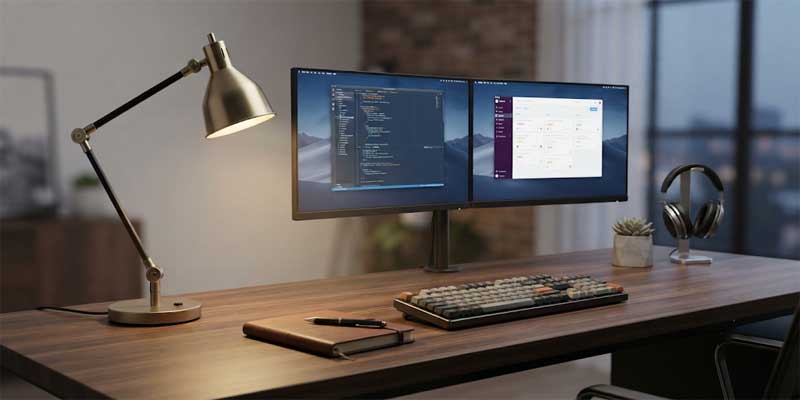
Selecting an ergonomic desk lamp is one of the most critical decisions you can make for your everyday productivity and eye health. In an era where remote professionals and students spend eight to twelve hours a day anchored to computer monitors, treating workspace illumination as an afterthought is a serious misstep. Ambient ceiling fixtures simply cannot cast light beneath eye level, leaving keyboards, paperwork, and writing areas obscured by your own physical shadow.
A poorly chosen desk lamp causes harsh screen reflections, direct retinal glare, and ocular strain that leads to premature afternoon fatigue and persistent headaches. Conversely, an engineered task luminaire supplies targeted, adjustable foot-candles that contrast comfortably with digital displays. In this comprehensive guide, we unpack five professional rules to help you select, position, and calibrate the ultimate task light for your home office.
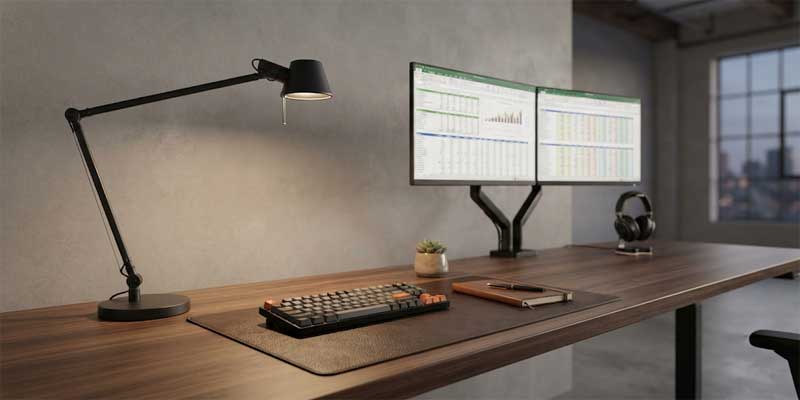
Why Dedicated Desk Lamp Lighting Protects Long-Term Vision
Computer monitors emit directional light straight toward your eyes, while traditional desktop tasks—such as reviewing physical blueprints, sketching, or typing—require light cast downward across horizontal surfaces. When ambient light levels in a room are dim but your digital screen is brilliant, your pupils constantly dilate and contract as your focus shifts. This continuous muscular adjustment triggers asthenopia, commonly known as digital eye strain.
Introducing a purpose-built desk lamp creates balanced local ambient illumination, minimizing the extreme contrast ratios between your monitor and the surrounding desk plane. By illuminating the physical desktop without washing out screen pixels, you provide your ocular system with a stable, comfortable environment that sustains focus throughout extended work sessions.
5 Ergonomic Rules to Select the Best Desk Lamp
Follow these five engineering and interior design guidelines to eliminate visual fatigue and maximize daily workflow efficiency.
Rule 1: Prioritize Multi-Axis Articulation and Adjustable Reach
A static, rigid light source severely limits your workspace versatility. Whether you are typing on a keyboard, handwriting notes, or soldering delicate electronics, the exact point of task focus shifts continuously throughout the workday. An exceptional desk lamp must adapt to your physical movement rather than forcing you to contort your posture.
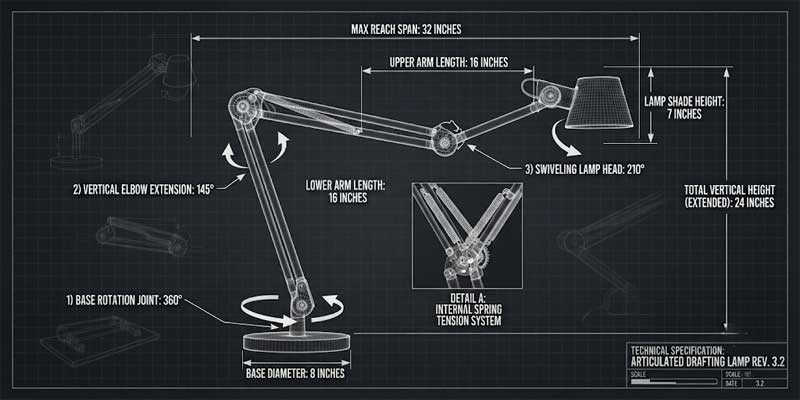
Look for fixtures engineered with counterbalanced articulating arms, tension springs, or dual-pivot swivels. The lamp should provide at least three independent points of movement: base rotation, vertical elbow extension, and a swiveling shade head. This mechanical flexibility allows you to extend the light beam directly over legal documents or push the head higher to wash a broader zone without shifting the base. Heavy die-cast metal joints ensure the arm holds its position firmly without slipping downward over time.
| Desk Size (Width) | Recommended Lamp Reach | Mounting Style | Ergonomic Advantage |
|---|---|---|---|
| 36 – 48 inches (Compact) | 16 – 22 inches | Weighted Freestanding Base | Compact footprint preserves valuable mouse and keyboard clearance. |
| 50 – 65 inches (Standard Office) | 24 – 32 inches | Edge Clamp / Freestanding | Long arm spans over secondary monitors to reach center writing pads. |
| 66+ inches (Executive / Dual Desk) | 34 – 40 inches | Grommet Hole or C-Clamp | Zero desktop footprint; provides effortless coverage across expansive setups. |
Rule 2: Position the Fixture Opposite Your Dominant Hand
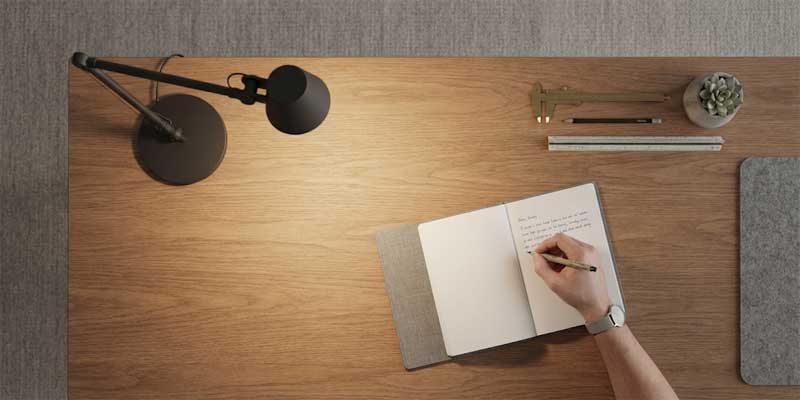
Even the most expensive desk lamp will prove frustrating if positioned incorrectly relative to your body. When you write or sketch, your hand and pen inevitably cast a dark, defined shadow across the page. If the luminaire is positioned on the same side as your writing hand, that shadow falls directly over your point of focus, obscuring your work and straining your eyes.
Always place your desk lamp on the side opposite your dominant hand. Right-handed individuals should anchor the fixture on the left rear quadrant of the desktop, while left-handed professionals should position it on the right side. Furthermore, elevate the head of the lamp to approximately 15 to 20 inches above the desk surface, keeping the lower edge of the shade angled downward so the bare LED diode remains entirely outside your peripheral vision.
Rule 3: Calibrate Lumens and Demand 90+ High CRI Optics
Excessive brightness is just as damaging as insufficient illumination. Blasting a desktop with 1,000 lumens bounces harsh reflections off glossy paper and light-colored desktops straight into your retinas. An ideal desk lamp produces between 400 and 600 lumens of focused light, which delivers roughly 50 foot-candles of illuminance onto the work plane.
Equally critical is the Color Rendering Index (CRI). Budget LED chips frequently feature low CRI ratings below 80, which distorts ink colors, flattens printed photographs, and creates a dull, sterile working environment. Insist on a fixture with a 90+ CRI rating. High-fidelity rendering reveals accurate color contrast, reduces eye strain when reading dense typefaces, and ensures graphic designers and illustrators see precise color values under artificial light.
Rule 4: Select Adjustable Color Temperatures for Circadian Support
Human alertness and cognitive function respond directly to the color spectrum of ambient light. Cool blue-enriched white light stimulates alertness and suppresses melatonin, while warm amber tones signal the brain that it is time to unwind. A static, single-temperature desk lamp fails to support your evolving energy levels over the course of a long day.
Invest in a desk lamp equipped with tunable white temperature settings. During peak morning hours (9:00 AM to 1:00 PM), set the fixture to a crisp 4000K to 4500K neutral daylight hue to enhance focus and mental drive. As the afternoon wanes and shifts into evening overtime, dial the temperature down to a soothing 2700K or 3000K warm white glow. This transition prevents high-energy blue wavelengths from disrupting your natural circadian rhythm before bedtime.
Rule 5: Prevent Digital Monitor Veiling Reflections
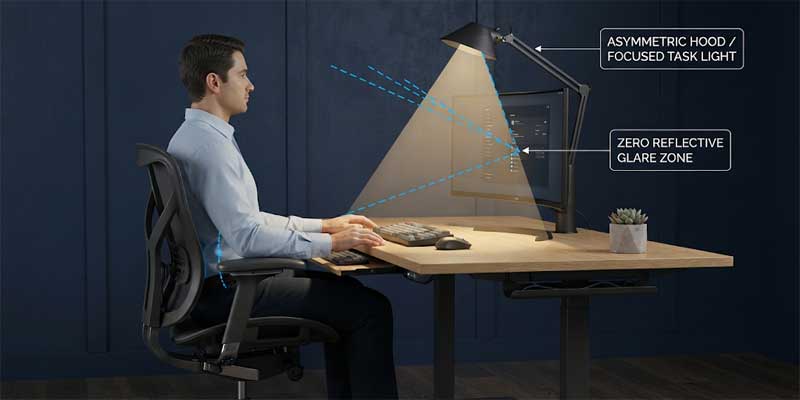
In modern multi-screen office environments, secondary reflections on glass panels are a constant nuisance. Veiling glare occurs when an unshielded light source shines directly onto the face of a computer monitor, bouncing back into your eyes and washing out textual contrast. Many workers compensate by cranking up monitor brightness, which only accelerates visual exhaustion.
To eliminate monitor glare, ensure your desk lamp features an asymmetric optical lens or a recessed honeycomb louver that directs light strictly forward and downward across the desk surface, preventing light spill backward onto screens. If utilizing an arched architect-style fixture, position the shade head slightly in front of your monitors and aim the beam at a 45-degree angle away from the glass display surfaces.
Choosing the Right Base Style for Your Desk Setup
The mounting mechanism dictates how efficiently your light integrates with office furniture:
- Heavy Weighted Bases: The classic configuration. Offers complete portability across the desk surface, though it claims 6 to 8 inches of precious desktop real estate.
- Edge C-Clamps: Clamps directly to the rear or side lip of the desk. Completely frees up tabletop surface area, making it ideal for compact standing desks and minimalist setups.
- Grommet Mounts: Bolts securely through pre-drilled cable grommet holes in commercial office furniture, offering maximum stability for heavy, long-reach articulated arms.
- Monitor Screen Bars: Clamps to the top frame of your primary display, illuminating the keyboard area with zero desk footprint and zero screen glare.
If you are outfitting a creative home study that doubles as an evening library, pairing your utilitarian work light with an elegant accent Table Lamp from our classic catalog creates rich, layered warmth across credenzas and corner bookshelves.
Common Desk Lamp Mistakes to Avoid
Ensure your home workspace remains functional and comfortable by steering clear of these common task lighting mistakes:
- Working Under Task Light Alone in a Pitch-Black Room: Operating a brilliant task luminaire without ambient room illumination forces your eyes to adapt continuously between deep shadow and intense brightness. Always keep a soft ceiling light or background lamp active.
- Ignoring Visible Diode Glare: If you can see bare LED diodes from your regular seated posture, the fixture is mounted too high or tilted incorrectly. The internal light source must remain concealed within the shade hood.
- Purchasing Flickering Pulse-Width Modulation (PWM) Drivers: Low-grade LED lamps use cheap electrical drivers that produce imperceptible high-frequency flicker. While invisible to the naked eye, this flicker causes chronic migraines and ocular fatigue. Insist on flicker-free DC drivers.
- Cluttering Small Surfaces with Oversized Lamp Bases: Placing an oversized traditional fixture on a compact 40-inch desk restricts mouse mobility and creates physical disorder. Always match the fixture scale to your desk dimensions.
Optimize Your Daily Productivity with the Right Desk Lamp
Upgrading to a high-performance desk lamp is one of the highest-return investments you can make for your professional stamina and vision health. By selecting a fully articulated arm, positioning the light opposite your dominant hand, demanding high CRI output, and incorporating circadian color tuning, you transform a mundane workstation into an ergonomic productivity powerhouse.
Evaluate your desk setup today. Check your dominant-hand shadow direction, measure your screen reflections, and inspect your bulb color temperature. With purposeful task illumination, you can power through your most demanding projects with absolute visual clarity and end every workday feeling refreshed and strain-free.
